Giant Nonogram
Large nonograms from 25x25 to 40x40, with zoom and progress saved as you go.
Recent
Your last 10 settings, saved only in this browser. Nothing is uploaded.
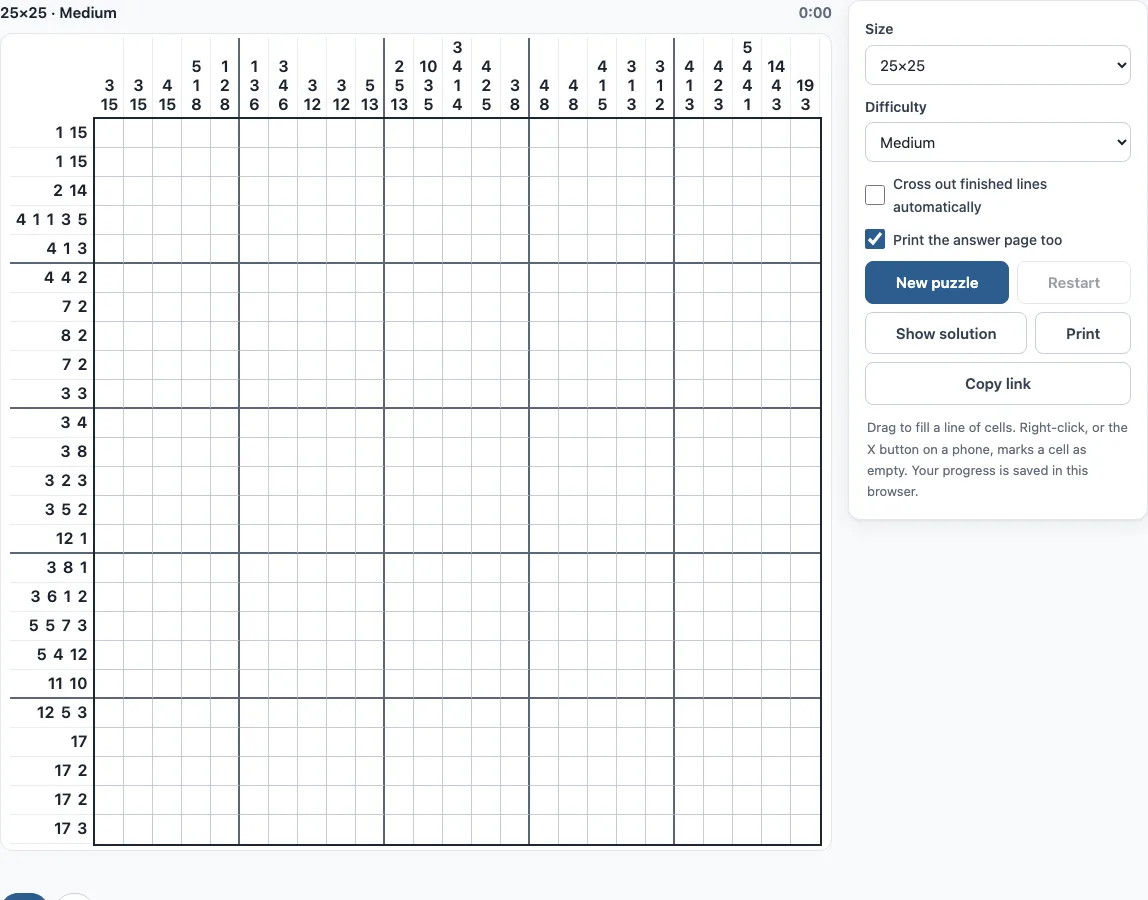
How to play a giant nonogram
- Choose a size: 25x25 (the default), 30x30, 35x35 or 40x40.
- Choose a difficulty: Easy, Medium or Hard.
- Wait for the “Generating…” message to finish. Large puzzles take a moment to make.
- Click a square to fill it, or drag across squares to fill a line. A drag stays on the row or column where it started.
- Right-click a square to mark it with an X when you know it is empty.
- Press Check to mark wrong squares in red or to see how many squares are left. Press Hint to reveal one square that a clue already proves.
- Use Zoom in, Zoom out or Fit to change the square size. On a small screen, use Move to scroll a zoomed board instead of drawing.
- When the puzzle is solved, the page shows your time and the number of hints used.
Keyboard controls: arrow keys move, Space or Enter fills, X marks a cross, and Backspace clears. Ctrl+Z (Cmd+Z on Mac) undoes and Shift+Ctrl+Z redoes. The New puzzle, Restart and Show solution buttons do what their names say. Print prints the puzzle, and ticking “Print the answer page too” adds the answer on a second page. Copy link gives you a link that opens exactly the same puzzle. The option “Cross out finished lines automatically” fills the leftover squares of a completed line with X marks.
How to solve large nonograms
Each row and column has clues that give the lengths of its blocks, which are runs of filled squares, in order. Two blocks in the same line always have at least one empty square between them, and a clue of 0 means the whole line is empty. Large grids are easier to start than they look, because long clues force squares to be filled. If a block of length n sits in a line of length L and 2n is greater than L, the middle 2n − L squares must be filled. For example, a clue of 25 in a 40-square line fills 10 squares in the middle, because every possible position of that block covers them. Look for long clues first and fill those squares before anything else.
How to solve big nonogram
Work through the grid one line at a time, checking each row and column against its clue. Easy puzzles can be solved this way in a few passes over the board (at most 4 passes on 25x25 and 30x30, 5 on 35x35 and 40x40), and at least half of all lines give a square on the empty grid. Medium puzzles also solve line by line, but they need more passes. Hard puzzles have one solution, yet line-by-line logic eventually stops. At that point, pick a square, test whether it is filled and whether it is empty, and see which choice leads to a contradiction. Every puzzle here has exactly one solution, so the contradiction always points to the right answer. Mark Xs generously so you can see which squares are settled, and watch the greyed-out clues, which show finished lines. Because progress is saved automatically on the same device, you can solve a big puzzle over several sessions.
How long do giant puzzles take to load?
A large puzzle is generated on your own device when you open it, and the site checks that it has exactly one solution before showing it. On most computers and phones this takes well under a second; the “Generating…” message covers the short wait.
Frequently asked questions
Is there a 50x50 or 100x100 nonogram?
No. The largest size on this page is 40x40, and there are no 50x50 or 100x100 puzzles here. Choose 40x40 for the biggest board.
Is it free, or do I need an account?
It is free, and there is no sign-up. Puzzles are made in your browser and nothing is uploaded.
Is my progress saved?
Yes. Progress is saved automatically in your browser and restored when you return to the page on the same device.
Can I play on a phone?
Yes. On a phone, tap the Fill or X button to choose what a tap does. On a small screen, use the Move button to scroll a zoomed board.
Can I play a 30x30 nonogram here?
Yes. Choose 30x30 from the size options, then pick Easy, Medium or Hard. The 35x35 and 40x40 sizes are also available.
Can I undo a mistake?
Yes. Undo (Ctrl+Z, or Cmd+Z on Mac) steps back one move, and a whole drag counts as one move. Redo (Shift+Ctrl+Z) puts it back.
What do the grey clue numbers mean?
A clue turns grey when its row or column matches it exactly. It is a quick way to see which lines are finished, but it does not prove the rest of the board is right: use Check for that.
Can I use giant nonograms from here in a commercial puzzle book?
Yes. Large nonogram puzzles from this page are royalty-free for personal, classroom and commercial use, including puzzle books on Amazon KDP, printables on Etsy, Teachers Pay Teachers and Gumroad. No credit is required. The only thing you may not do is copy the generator or the site itself to run a competing service; see the terms.
Related tools
- Nonogram (play online): play the main nonogram puzzle page when you want to start with a standard grid.
- Picross online: try picross-style puzzles if you prefer the same logic with a different name.
- Easy nonograms: use this when you are learning the rules and want puzzles that solve line by line.
- Hard nonograms: use this when you have solved easier puzzles and want ones that need testing a square.
- 10x10 nonograms: use this for small grids that are quick to finish.
- 15x15 nonograms: use this for a mid-sized step up before attempting the largest grids.
- 20x20 nonograms: use this when you are ready for a bigger board but not yet 25x25 or more.
- Nonogram solver: use this to check a puzzle’s logic when you are stuck on a clue.