LITS Puzzle
Shade one L, I, T or S tetromino in every region so all shaded cells connect and no two equal shapes touch.
Recent
Your last 10 settings, saved only in this browser. Nothing is uploaded.
How to use the LITS puzzle
- Choose a size (6×6, 8×8 or 10×10; the default is 8×8) and a difficulty (Easy, Medium or Hard) above the board. Select New puzzle. “Generating…” shows while the new board is made.
- Click or tap a cell to shade it. Click or tap it again to clear it.
- Right-click, or use the Dot chip, to mark a cell you know stays unshaded.
- When a region holds a complete valid tetromino, it is coloured by its shape and labelled L, I, T or S.
- Select Hint when you are stuck. It highlights the cells involved and explains in one sentence which rule proves the next step. If you have made a wrong mark, it points at that mark first.
- Select Check. Cells that break a rule or differ from the solution turn red. If there are none, the page says “No mistakes so far” and shows the percentage done.
- When the puzzle is solved, the page shows “Solved in m:ss” and offers Next puzzle.
Use the arrow keys to move, Space to shade, X to mark a dot and Backspace to clear. Undo and Redo work with Ctrl+Z and Shift+Ctrl+Z (Cmd on a Mac). Restart clears the board and keeps the same puzzle.
On a phone or tablet, the Shade and Dot chips above the board choose what a tap does. The Move chip lets you scroll a zoomed board instead of playing. Zoom out, Fit and Zoom in change the board size, and Fit is the default.
LITS puzzle rules
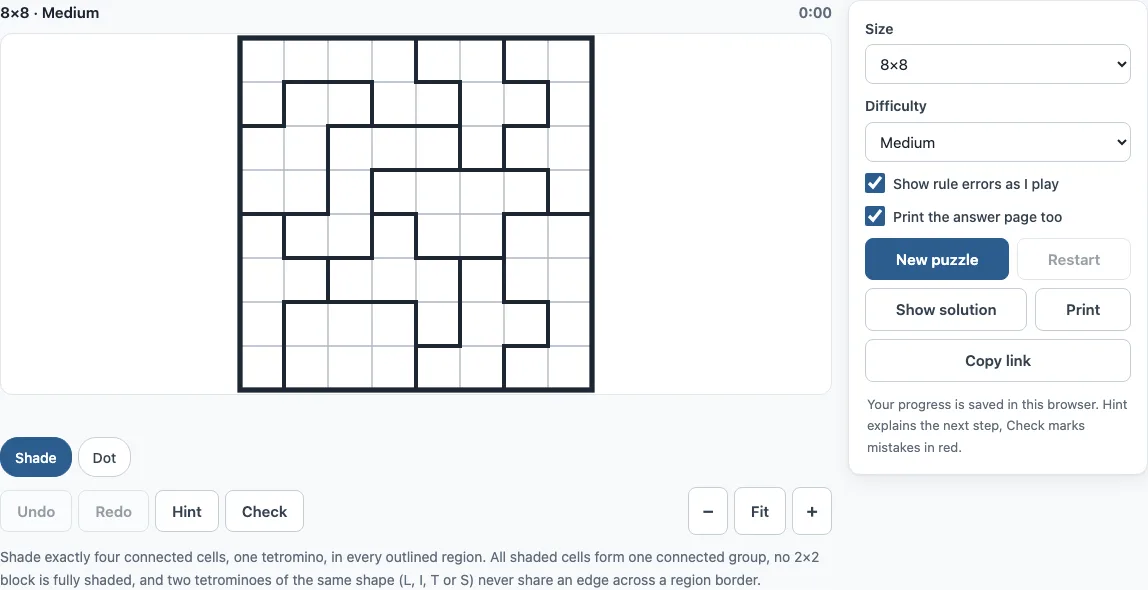
The grid is cut into outlined regions, usually with 5 to 7 cells each (the range is 4 to 9). In every region you shade exactly four connected cells, which form one tetromino. All shaded cells across the whole grid must form one connected group. No 2×2 block may be fully shaded. Two tetrominoes of the same shape may not share an edge across a region border.
How to solve LITS
Solving means ruling out tetromino placements that cannot work. Start with 4-cell regions, because the whole region is its own tetromino and is shaded at once. Then look at narrow regions where only one or two tetrominoes fit, and at cells where any shading would create a 2×2 block.
The site’s solver uses four basic rules. Fit keeps only placements that fit in a region, so a cell that every placement covers is shaded and a cell none covers stays empty. Pool removes a placement that would complete a 2×2 shaded block. Same removes a placement that matches the shape of a fixed neighbour it would touch. Link removes a placement that touches no cell that could still be shaded elsewhere.
Medium puzzles also need two rules that compare neighbouring regions. Pair removes a placement when a neighbouring region has no placement left that can sit beside it. Support removes a placement when no neighbouring region has a placement that can touch it without a clash.
Hard puzzles need reach, which removes any placement that would split the shaded cells into separate groups. Some Hard boards also need trial and error, where you test a placement and follow where it leads.
What do L, I, T and S stand for
The name LITS comes from the four tetromino shapes L, I, T and S. Each is a four-cell shape: L is three in a line with one cell at the end, I is four in a straight line, T is three in a line with one cell in the middle, and S is a zigzag. Rotations and reflections count as the same shape, so a mirrored L is still an L and a Z is an S. The O shape, a 2×2 square, can never appear, because no 2×2 block may be shaded.
Frequently asked questions
Is the LITS puzzle free, and do I need an account?
Yes, it is free, and there is no account or sign-up. Nothing is uploaded, and your progress and settings are saved in your browser and restored when you return.
Can I play LITS on a phone?
Yes. The puzzle works on phones, tablets and computers. On a phone or tablet, use the Shade, Dot and Move chips above the board to choose what a tap does.
Can I print the LITS puzzle?
Yes. Select Print to get the puzzle on its own page, with its size, difficulty and rules. Tick “Print the answer page too” to add the solution on a second page. In the print dialog, choose “Save as PDF” if you want a file. A4 and Letter both work.
Does every LITS puzzle have one solution?
Yes. Each puzzle is generated in your browser from a random seed and kept only when the site’s own solver proves it has exactly one solution. This means it can always be finished by logic.
Can I share a puzzle or continue it on another device?
Yes. Select Copy link to copy a link that holds the size, seed and difficulty. It opens exactly the same puzzle, so you can share it or continue on another device.
Are LITS puzzles from this page OK for commercial use?
Yes. LITS puzzles from this page are royalty-free for personal, classroom and commercial use, including KDP puzzle books, Etsy and Teachers Pay Teachers listings, and print-on-demand products. No credit is required. The only thing you may not do is copy the generator or the site itself to run a competing service; see the terms.
Related tools
- Norinori: Try this when you want another region-based shading puzzle with dominoes and rules to satisfy.
- Nurikabe: Choose this for a logic puzzle where you shade cells to form one connected sea around numbered islands.
- Star Battle: Pick this for a placement puzzle where you place stars in rows, columns and regions without touching.
- Heyawake: Use this for a region puzzle that combines shading rules with counting clues.
- Tapa puzzle: Play this for a clue-based shading puzzle where numbers describe the blocks around each cell.
- Shikaku: Try this for a puzzle where you split the grid into rectangles that each hold one number.
- Nonogram (play online): Choose this for a picture puzzle solved from row and column number clues.
- All puzzles on the site: Browse this list to find every puzzle the site offers.