Shikaku
Divide the grid into rectangles: each one holds exactly one number, and the number is its area.
Recent
Your last 10 settings, saved only in this browser. Nothing is uploaded.
Shikaku is a free puzzle you play in your browser. Divide the whole grid into rectangles so that each rectangle holds exactly one number, and that number is the rectangle’s area in cells. Squares count as rectangles, and every cell must belong to exactly one rectangle.
This page offers the free shikaku puzzle in six sizes, from 5×5 to 20×20, at three difficulty levels. Each new puzzle is generated in your browser and checked to have exactly one solution, so you can always finish it by logic. There is no account or sign-up, and it works on phones, tablets and computers. Puzzles you print here are free to use in class or in products you sell, such as KDP books or Etsy printables.
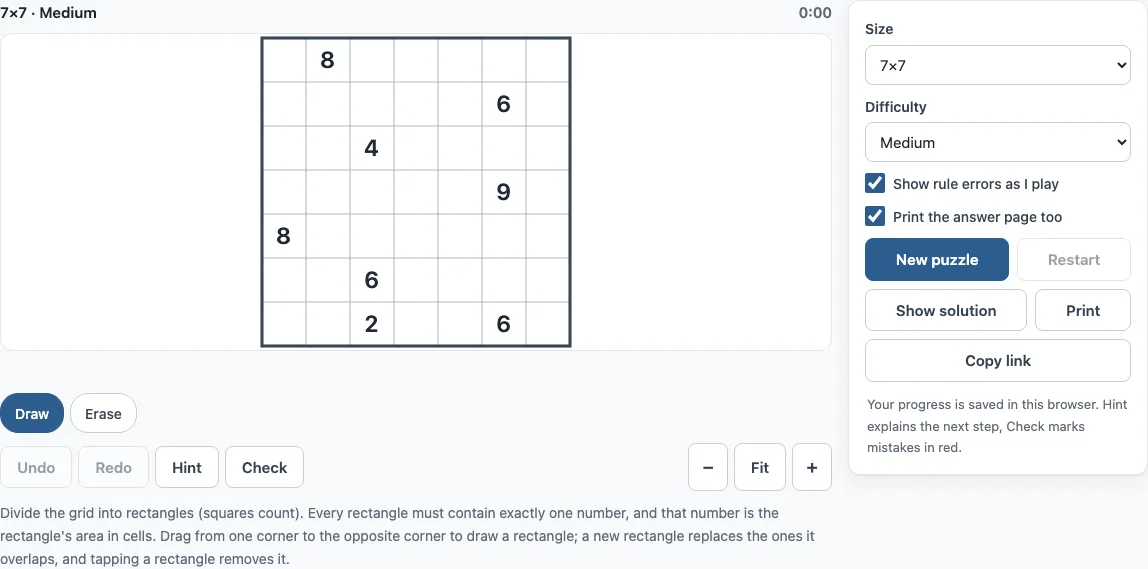
How to play shikaku online
- Choose a size (5×5, 7×7, 10×10, 12×12, 15×15 or 20×20) and a difficulty (Easy, Medium or Hard) above the board. The default size is 7×7.
- Press New puzzle. Wait for “Generating…” to finish if it appears.
- Press on one corner cell and drag to the opposite corner. The rectangle and its area preview while you drag.
- Let go to place the rectangle. A new rectangle replaces any rectangle it overlaps.
- Check that each rectangle contains exactly one number and that its area matches that number. Rule breaks show in red as you play.
- Tap a rectangle, or use the Erase chip, to remove it again.
- Press Hint when you are stuck, and Check to see mistakes or how much of the board is done.
- Press Show solution only if you want the answer.
Keyboard players can press Space to start a rectangle at the cursor, use the arrow keys to stretch it, press Space again to finish, or press Escape to cancel. Press X to remove the rectangle under the cursor. Undo and Redo work with Ctrl+Z and Shift+Ctrl+Z (Cmd on a Mac). On a phone or tablet, the Draw, Erase and Move chips above the board decide what a tap does.
Shikaku rules
The whole grid must be divided into rectangles. Every rectangle contains exactly one number, and that number is the rectangle’s area in cells. Every cell belongs to exactly one rectangle, so no cell is left empty and no cell is shared.
For example, a 2 can be a 1×2 or a 2×1 rectangle. A 6 can be 1×6, 6×1, 2×3 or 3×2, as long as the shape fits the grid and does not cover another number. Rectangles cannot contain two numbers, so the numbers mark where each piece of the grid must end up.
How to solve shikaku
Start by listing the shapes each number could still take. Call each possible rectangle a placement. A placement must have the right area, stay inside the grid, contain its own number and no other, and not overlap a rectangle that is already fixed.
Numbers with few shapes are the easiest to start with. A prime number such as 7 can only be 1×7 or 7×1. Numbers in corners and along edges have fewer options, as do numbers boxed in by neighbours. A 2 next to the edge often has only one way to fit.
The solver on this site uses four techniques:
- One choice: a number with only one placement left gets that placement.
- One reach: a cell that only one placement can still cover belongs to that placement.
- Overlap: cells shared by all remaining placements of a number belong to it, so other numbers cannot use them.
- Only number: if every placement that can still cover a cell belongs to the same number, that number’s rectangle must contain the cell.
The difficulty levels build on these. Easy puzzles are solved by one choice and one reach alone. Medium puzzles also need overlap and only number. Hard puzzles need you to try a rectangle and follow it until it leads to a contradiction.
What does shikaku mean?
Shikaku is Japanese for “square”. The full name, shikaku ni kire, means “divide by squares”. The puzzle is also known as Rectangles or Divide by Squares. It is a Japanese puzzle published by Nikoli, and this page uses the same rules.
Frequently asked questions
Is shikaku free to play?
Yes. There is no account or sign-up, and nothing you do is uploaded. Your progress and settings are saved in your browser and restored when you come back.
Can I play shikaku on a phone?
Yes. The tool works on phones, tablets and computers. On a phone, use the Draw, Erase and Move chips above the board to control what a tap does.
Can I print shikaku puzzles?
Yes. Press Print to get the puzzle on its own page, with its size, difficulty and rules. Tick “Print the answer page too” to add the solution on a second page, and choose “Save as PDF” in the print dialog if you want a file. A4 and Letter both work.
Does every shikaku puzzle have one solution?
Yes. Each puzzle is generated in your browser from a random seed and kept only when the site’s solver proves it has exactly one solution. You can always finish it by logic without choosing between two answers.
Can I turn off the rule error warnings?
Yes. “Show rule errors as I play” is on by default and marks rule breaks in red as soon as they appear. Turn it off for a harder game, then use Check when you want to review your board.
Can I share the exact same puzzle with someone?
Yes. Press Copy link to get a link that holds the size, seed and difficulty. Anyone who opens it gets the same puzzle, and you can use it to continue on another device.
Does the tool track how long I take?
A timer runs while you play and pauses when the tab is hidden. When you solve the puzzle, the page shows “Solved in m:ss” and how many hints you used.
Can I sell shikaku puzzles printed from here?
Yes. Shikaku puzzles from this page are royalty-free for personal, classroom and commercial use, including KDP puzzle books, Etsy and Teachers Pay Teachers listings, and print-on-demand products. No credit is required. The only thing you may not do is copy the generator or the site itself to run a competing service; see the terms.
Related tools
- Star Battle: use it if you enjoy placing symbols by logic in a grid with region rules.
- Norinori: try it if you like shading regions in a grid with pairing rules.
- Slitherlink: pick it for a loop puzzle driven by numbers placed around cells.
- Bridges puzzle (Hashi): choose it for connecting numbered islands with bridges.
- Binary puzzle (Binairo): play it for filling a grid with two symbols under simple counting rules.
- Masyu: use it for drawing one loop through circles with turn rules.
- Mosaic puzzle: try it for shading cells according to the numbers around them.
- Nonogram (play online): pick it for picture-filling puzzles guided by row and column clues.
- Fillomino: try it to divide the grid into numbered groups whose sizes match their numbers.